Cloud phone system with voice AI for your team.
Extensions, queues, campaigns, supervision, recording and website chatbots on one platform, with AI inside the call.
Bring your own carrier. From €45/month for one seat; carrier calls are billed by your carrier. Check each plan's AI credits and usage rates.
Extensions, queues, campaigns, supervision, recording and website chatbots on one platform, with AI inside the call.
Bring your own carrier. From $49/month for one seat; carrier calls are billed by your carrier. Check each plan's AI credits and usage rates.
Creating the account needs no card. The 14-day trial on the plan you choose includes 300 AI credits; a card is requested and billing starts when it ends unless you cancel first.
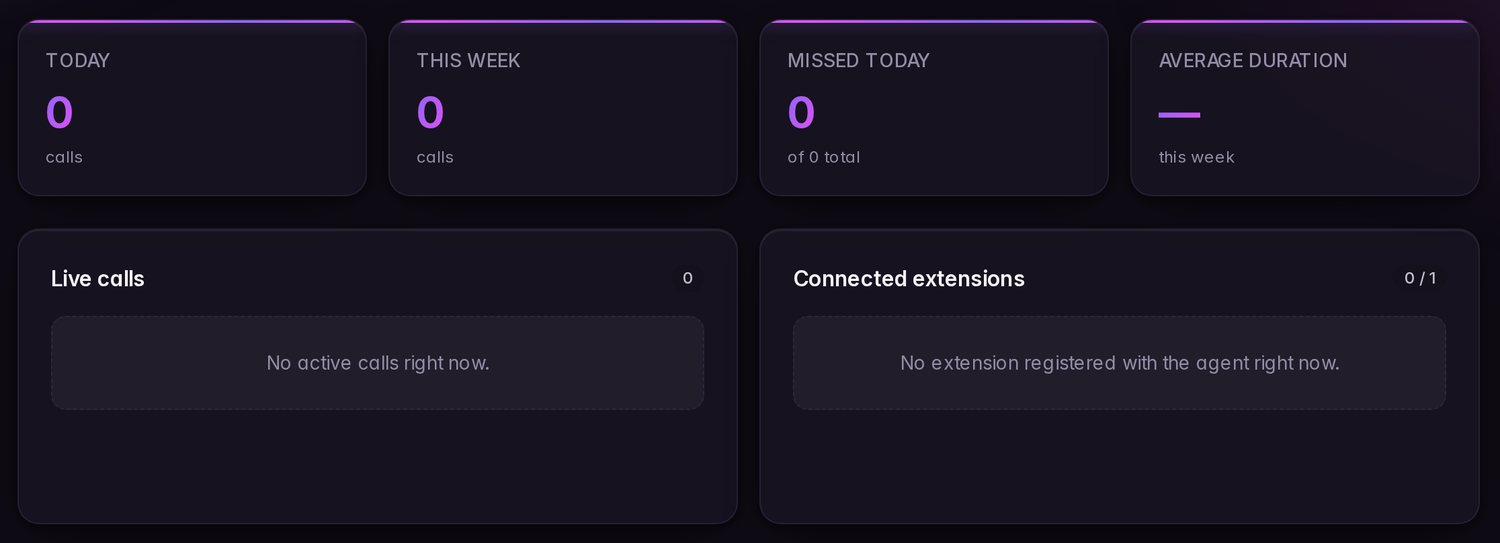
Core features of a professional phone system. Keep your carrier; no on-site PBX hardware is required.
Your whole phone system lives in the cloud: extensions, trunks, queues, IVR, recording and reports. Your agents answer from the browser. Nothing to install.
You bring the numbers: with Twilio or Telnyx you buy them from the dashboard itself, in your own account, or you use your SIP carrier. We bring the phone system with AI; we don't sell numbering.
Softphone in the browser
Call and answer in high definition, with nothing installed. Keypad, notes, history and transfers.
Extensions and your own trunk
SIP trunk per organization, DIDs and extensions. Register your own handset if you want.
Queues and skills-based routing
The call goes to the agent who can solve it. Configurable waiting, overflow and priority.
Warm and blind transfer
Consult before passing and complete with one click. Or transfer straight to an extension, queue or number.
Live supervisor
Passive call monitoring and coaching whisper to the agent only. Post-call surveys.
Recording and metrics
Recording with a pause for card details, voicemail and optional quality scoring when configured.
Visual IVR
Design the call journey by dragging nodes: menus, business hours, conditions, HttpCall.
Campaigns and calendar
Outbound dialler that doesn't leave calls hanging, with a live console; campaigns with an AI agent that uses each contact's details; callbacks, reminders and a native appointment book.
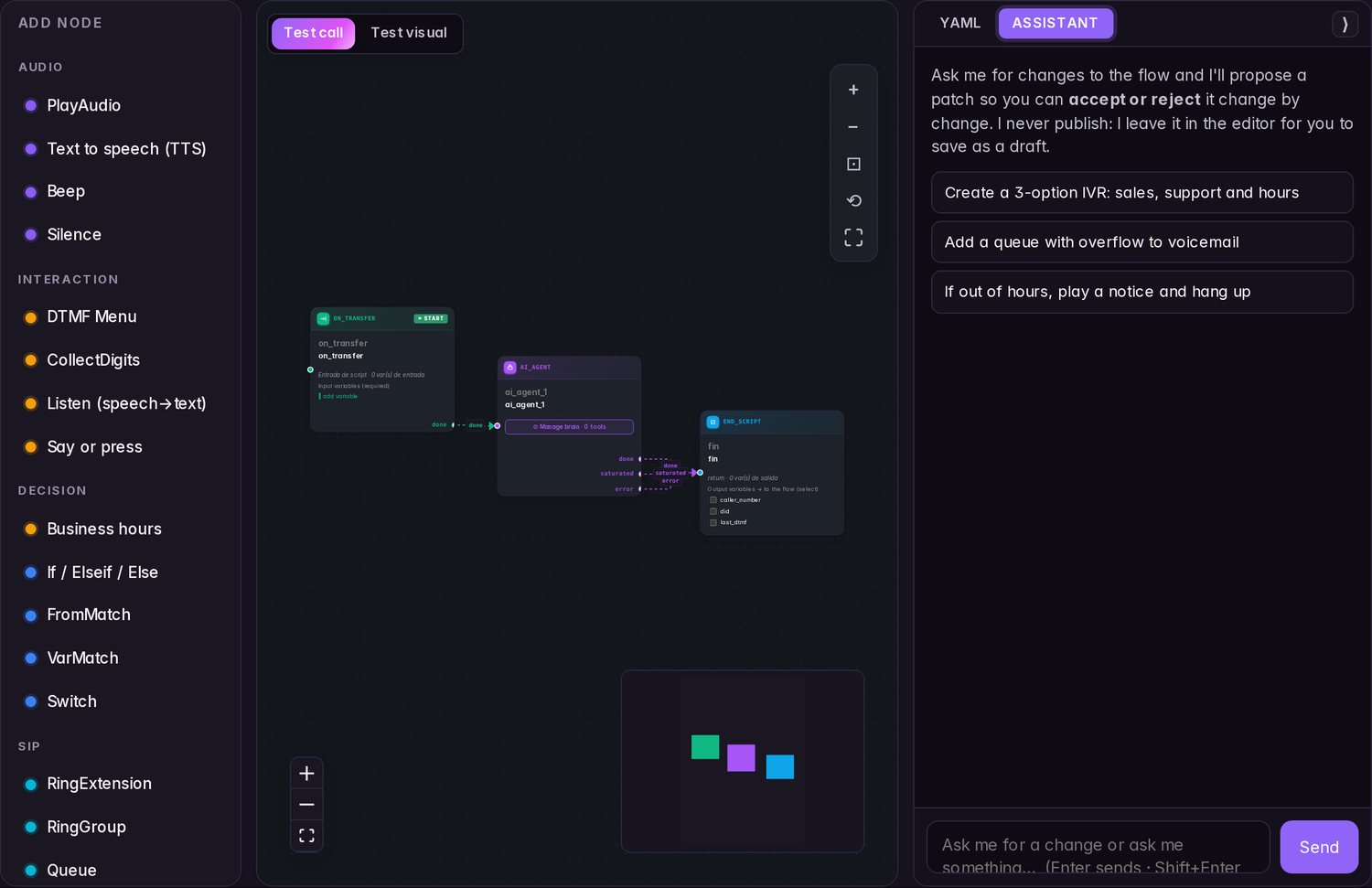
Build it by dragging. Or just say it and the AI does it.
Design what happens on every call by dragging blocks, all from the browserDescribe the flow in a sentence and the assistant drafts it for you to review before publishing.
- Visual call flows, without custom code. For routine call handling, your operations team can configure flows without custom code.
- The assistant writes it for you. «Ask for the order number and check its status» → flow done.
- Connect it to your stuff. Call your CRM or any API from the flow, send events to n8n, Make or Zapier, or use our API.
Don't take our word for it: call one and watch.
Five sample phone systems, one per market, each in its own language. Press the keys and the call goes where you take it: menus, submenus, hold music, a code typed on the keypad, voicemail, an urgent route. And you watch the flow light up block by block as it happens.
The conversation with the AI agent is a recording made for this demo — no model is answering and the voices are synthetic. The flow it follows is the product's own, but the call itself is simulated in your browser. Open all five phone systems
One phone system for business calls and voice AI agents.
Designed as one platform.
Voice AI runs inside the call flow. The audio route depends on your carrier and the providers you configure.
We maintain our telephony engine; call audio may also pass through your carrier and external AI providers.
It listens, processes and responds within the same call. Interruptions and response time depend on configuration and providers.
Choose the provider, model and region; review each provider's prices and terms before enabling it.
AI, where you enable it.
Enable only the AI tasks you need: score configured calls, transcribe selected recordings, or answer calls.
Configured calls, scored against your criteria.
When enabled, AI scores configured calls against your criteria and shows a summary and review flags. Results may need human checking.
- Your questions, your criteria. You define what to assess; the AI answers point by point, quoting the call.
- Summary and flags. Score, summary and flags for each call the AI evaluates.
- Straight to your CRM. Send the result by webhook, or ask for a new evaluation of the call.
Read it like a chat. Who said what.
Recordings you choose to transcribe appear as conversations; speaker separation depends on the available audio channels.
- Agent and customer, separated. Separate audio channels help distinguish the two sides of a call.
- Choose a transcription provider. Deepgram with a European endpoint and no data given to training.
- It feeds quality control. That text is exactly what the AI quality control scores.
00:04
00:07
00:12
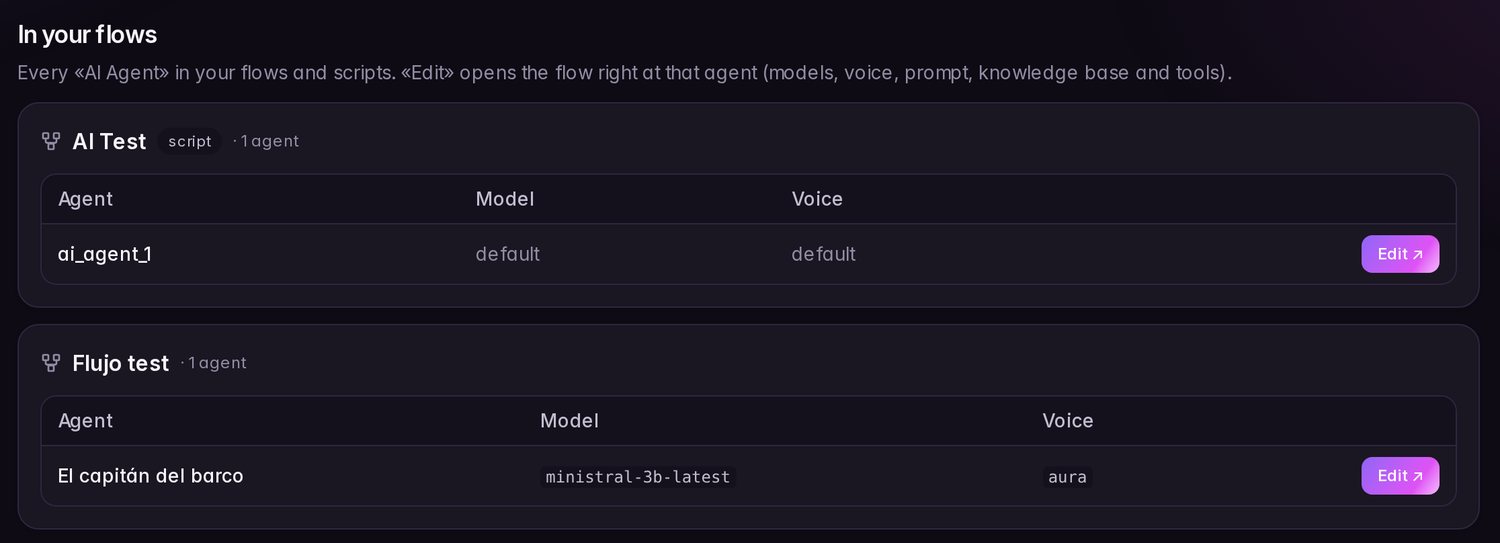
An AI receptionist configured for your call flow.
When you're ready, let the AI answer: it replies with your company's information and passes to a person when needed. Turn it on wherever you like — one number, a queue or only out of hours.
- Use your knowledge base. It retrieves the company documents you configure as context; check important answers and offer a human handoff.
- It passes to a human. When the case calls for it, it transfers with context. And it books callbacks: «I'll call you tomorrow at 10».
- It sends the confirmation by email. Your flows and your AI agent send your own templates, filled in with what was said on the call: the appointment, the quote, the link they asked for. The agent only sends the templates you allow; it never writes an email of its own.
- Configure a caller notice. Set the message in your flow and review the notice required for your use case.
- It speaks your customer's language. Ten languages with native voices — or let it detect the language on its own, mid-call.
Español · English · Français · Deutsch · Italiano · Nederlands · Português · Català · Polski · 日本語
The same agent, in writing too.
Put a chatbot on your website with a snippet of code. It answers from your documents, takes a message when it doesn't know something and saves the conversation so your customer can pick it up on another device. Pay per use, from the same AI balance.
- It hands over to a person. Your team replies from the inbox in the dashboard or the desktop app, with the customer's calls and chats on the same record.
- It does things, with permission. It checks your system and proposes actions the customer confirms before they happen.
- And if needed, it calls. A button in the chat to talk to your voice agent from the browser, without dialling any number.
1 chatbot on Solo and Starter · 3 on Pro · 10 on Business, with calls from the web · 30 on Scale. All of them hand over to a person.
The AI whispers the answer to your agent.
While your agent talks or chats, the AI follows the conversation and suggests what to reply, with your documents and your instructions. You decide which channels and who gets it.
- On calls and chats. In the browser phone, the desktop app and the chatbot inbox.
- And whenever you ask. Any agent can ask an assistant that knows your company's documentation.
- Nothing is kept. Neither the transcript nor the suggestions are stored.
Live copilot from Business; the on-demand assistant, on every plan.
Clear pricing. AI credits by plan.
The price you see is the base: the whole phone system, with AI inside. AI is part of the plan, with monthly credits assigned per organization, not per seat. Your carrier bills calls and sets its own trunk capacity. Top-ups add 110 credits per €1 or 100 per $1, based on billing currency; purchased balance doesn't expire.
You're billed in dollars if your organization is in the US region, and in euros if it's in the EU. The currency is set when you create the account. Prices exclude tax: any applicable VAT is calculated at checkout based on your country. EU businesses with a valid VAT number get the reverse charge.
Working on your own? The complete phone system for one person, with an AI agent that answers your calls. You connect your number from Twilio, Telnyx or your carrier.
1 seat · 1,000 AI credits/month · 1 AI call at once · 2 GB of recording · 50 emails a day from flows · extra seats at the same price · 1 website chatbot with handover to a person
- Minimum seats 3
- Simultaneous calls No limit
- AI calls at once 3
- Max. AI outbound✕
- AI credits/month · per organization 3.000
- Recording 5 GB
- Emails/day from flows 200
- Softphone, flows and AI agent
- Webhooks and calendar (Cal.com)
- BYOC: Twilio, Telnyx or SIP
- 1 AI chatbot for your website that hands over to a person
- Minimum seats 10
- Simultaneous calls No limit
- AI calls at once 6
- Max. AI outbound 3
- AI credits/month · per organization 9.000
- Recording 30 GB
- Emails/day from flows 1.000
- Outbound campaigns and callbacks
- Automatic call QA
- AI agent on outbound calls
- 3 website chatbots that hand over to a person
- API and MCP server
- Minimum seats 30
- Simultaneous calls No limit
- AI calls at once 20
- Max. AI outbound 8
- AI credits/month · per organization 24.000
- Recording 100 GB
- Emails/day from flows 3.000
- Listen in and whisper on live calls
- Priority support
- 10 website chatbots
- Live copilot for your agents
- Calls from the web through the chatbot
- −10%on AI usage
- Minimum seats 100
- Simultaneous calls No limit
- AI calls at once 50
- Max. AI outbound 20
- AI credits/month · per organization 70.000
- Recording 500 GB
- Emails/day from flows 10.000
- Up to 50 AI calls at once, 20 of them outbound
- 30 website chatbots
- −20%on AI usage
If inbound AI calls exceed your plan's concurrency, you can enable bursts in Settings up to its extra-call limit; usage is charged at 1.5× the model's per-minute rate. Off by default; it does not apply to outbound campaigns.
Advanced roles and permissions, a contractual SLA with a customer success manager, and negotiated AI rates, configured for your operation.
Every plan includes the softphone in the browser: it works on Windows, Linux, macOS, Android and iOS with nothing installed.
14-day trial on the plan you choose, with 300 AI credits for the trial. A card is requested at the start and nothing is charged during the trial: when the 14 days end the subscription to the chosen plan starts, unless you cancel first from your panel. One trial per account. During the trial the API, the MCP server, the copilot and calls from the chat are not included: they start with the subscription.
Prices exclude VAT. You're billed in your region's currency — euros in the EU, dollars in the US — and VAT applies according to your country.
Voice calls under the hood what shapes a call.
You don't need to know any of this to use it. But if you're curious, here's what's underneath — and why the calls sound the way they do.
Audio routing
Alpire handles call routing; audio may also pass through the carrier and providers configured in the flow.
Browser calling
The browser uses WebRTC and connects to your configured phone system, carrier and any active AI provider.
Call quality
Quality depends on the device, browser, local network, carrier and enabled voice providers.
Network conditions
Call quality and audio recovery vary with latency, packet loss and the connections involved.
Voice detection
Speech detection helps manage turn taking and may need tuning for the call environment.
Interruptions
Barge-in behaviour and response time depend on the enabled speech and AI providers.
Self-hosted transcription · unavailable
Self-hosted transcription is not currently available. Available options use configured providers; review their regions and terms.
Streaming responses
Where supported, speech can begin before the model finishes generating a response; timing depends on provider and route.
Spot the problem Investigate call issues.
Use available call-quality reports by call, day and agent to investigate issues. Metrics can help locate device or Wi-Fi symptoms but do not guarantee the experience of every call.
- Bad calls, counted. Review available call metrics for patterns by agent or time period.
- Call-quality estimate Where available, the report estimates quality from call metrics.
- Connection recovery Recovery from interruptions depends on the browser, connection and call route.
Choose your voice and AI providers. By configuration.
Choose compatible speech, language and voice providers for your flows. Availability and settings depend on region and plan.
Listens
Speaks
Thinks
Check the selected providers and regions for each flow before going live.
Connect it to what you already use. And to your own AI.
Signed webhooks, a REST API with keys and permissions, and an MCP server so your AI assistant can check and manage the phone system for you.
Ask your AI how the phones are doing.
Connect Claude, Cursor or n8n with an API key and ask it like you would a colleague: «how many calls did we miss yesterday?», «book Jorge first thing on Monday», «take Ana off the support queue».
- Only what the key allows. With a read-only key your AI doesn't even see the tools that change things. And once you revoke it, it stops working right away.
- Calls, calendar, queues and chats. Reports and transcripts, free slots and appointments, who answers each queue, campaigns and chatbot conversations.
- Nothing stays along the way. The server doesn't store your data or your key, and whatever it changes lands in your audit log.
From the Pro plan, with an active subscription. Tested with Claude Code and Claude Desktop; any MCP client that supports Streamable HTTP and an Authorization header works.
Read the guide ↗Public REST API
Calls, recordings, calendar, queues, campaigns and chatbots from your own system, with keys per permission. Open reference, with examples ready to copy.
See the API ↗Signed webhooks
Every call, appointment, campaign or chat notifies your CRM, n8n, Make or Zapier in near real time, with a signature and retries.
See the events ↗Your system, mid-conversation
The flow and the chatbot query your API while they serve: an order, an appointment, a customer. The chatbot asks for confirmation before acting, unless you turn it off for that tool.
Calendar
Our own appointment book or Cal.com, so the AI agent books for you.
Webhooks, HttpCall and calendar on every plan; API and MCP from Pro, with an active subscription.
Built with controls for your compliance review.
Data protection controls for your review.
Current production infrastructure is hosted in EU data centres. AI providers may process audio in other regions; review routes and retention in the DPA and each provider’s terms.
Current infrastructure is hosted in the EU; some external providers may process data in other regions. Review the route and terms for your use case. Alpire does not certify your compliance.
Configurable call notice
For EU organisations, the agent plays an AI disclosure before it begins. The wording can be configured; review it for your use case.
Controls for card data
DTMF supports card/PIN entry without voice input; a flow can pause recording and mask values. Check this against your payment-provider and compliance requirements.
Export and deletion controls
Review, export or request deletion through the controls available for the service; scope and timing depend on the service and DPA.
Data paths and regions
Data may pass through Alpire and configured providers. Current platform infrastructure is in the EU; provider region and retention depend on each route. Review the DPA and provider terms.
DPA and subprocessor annex
Review the subprocessor annex, locations and terms that apply to each transfer.
Selected audit events
Selected administrative actions and security events are recorded per organisation, with IP blocking. This is not a record of every activity.
Set up your phone system, step by step.
Use the browser softphone and follow the guide to connect your carrier and configure your call flow.
Where your data lives and your carrier: connect Twilio or Telnyx with an API key and we set up the trunk and the numbers, or enter your SIP carrier’s details. Creating the account needs no card; the 14-day trial does.
Ring your team, a menu, a forward or voicemail — and which numbers each one answers. An AI agent? With your industry's template, in a minute.
Create the extensions, invite whoever you need and answer from the browser or the desktop app.
One platform, not ten separate tools.
Phone system, CRM, chatbots, reports, supervision, outbound, AI, API and compliance — in the same place and talking to each other.
Outbound campaigns, automatic QA, the API, the MCP server and MCP tools for the agent come with Pro and above; live listening, whisper, the copilot and calls from the chat, with Business and above. The number of chatbots grows with the plan; the rest, handover to a person included, is in every plan.
Phone system
- Extensions, queues and hunt groups
- Skills-based routing and priority
- Warm and blind transfer
- Your own SIP trunk per organization
- Physical SIP phones with per-network firewall
- DIDs and CallerID per extension
- IVR with business hours and holidays
Softphone
- Desktop app for Windows and Linux
- High definition, nothing to install
- Floating + PiP window + pop-out
- Presence and after-call work (ACW)
- Internal team chat
- Shared contact notes
Contacts and CRM
- Directory with company and tags
- Import CSV; export CSV and vCard
- Shared notes and history
- Saved lists and segments
Supervision and reports
- Live wallboard, to the second
- Passive listening and whisper to the agent
- SLA, ASA, AHT and occupancy reports
- CSV and PDF export
- Colour-coded call types
Outbound
- Progressive dialer designed to reduce abandoned calls
- DNC / do-not-call list
- Number blocking
- Callbacks and reminders
- Answering machine detection beta
- Live campaign console
- AI campaigns from a template
Artificial intelligence
- Website chatbots with your documents
- Copilot on calls and chats
- Agents with a knowledge base (RAG)
- Automatic quality control
- Transcription with diarization
- An assistant that builds your flows
- Post-call survey
- Prompts with TTS preview
Integrations and API
- Signed webhooks (n8n / Make / Zapier)
- HttpCall to your CRM or any API
- Emails from flows and the AI agent, with your templates
- Native appointment calendar
- Cal.com pluggable
- REST API with keys and permissions, from Pro
- MCP server for your AI assistant, from Pro
- Your tools in the AI agent via MCP (Zapier, Make, n8n), from Pro
Security controls
- Data export and deletion controls
- Configurable retention for supported recording types
- 2FA by app or email, with backup
- Active sessions and revocation
- Credentials encrypted at rest
- Selected audit and security event history
Account and team
- Roles: owner, admin, supervisor, agent
- Granular permissions per member
- Invitations and suspension
- Multi-organization in one click
- Panel in 5 languages
- Credits and usage live
- AI support + tickets
Shall we talk?
Tell us how you plan to use the phone system and we can help assess the setup and next steps.
Explore Alpire for
your next call with voice AI.
Set up your phone system, create an agent and hear it speak today.